Release Notes
New in Version 1.3
Twin Focus
Hover over a word to highlight the corresponding word on the other side of the diff.

Improved diffing algorithm
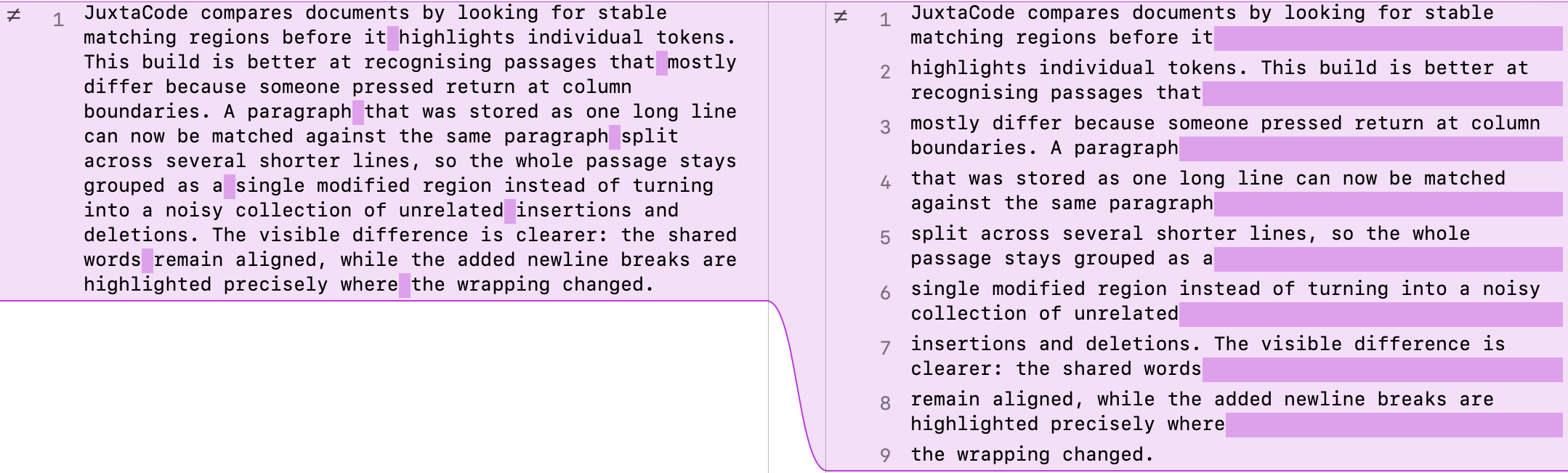
Better recognition when two bodies of text mainly differ by their line breaks.
Diff UI improvement
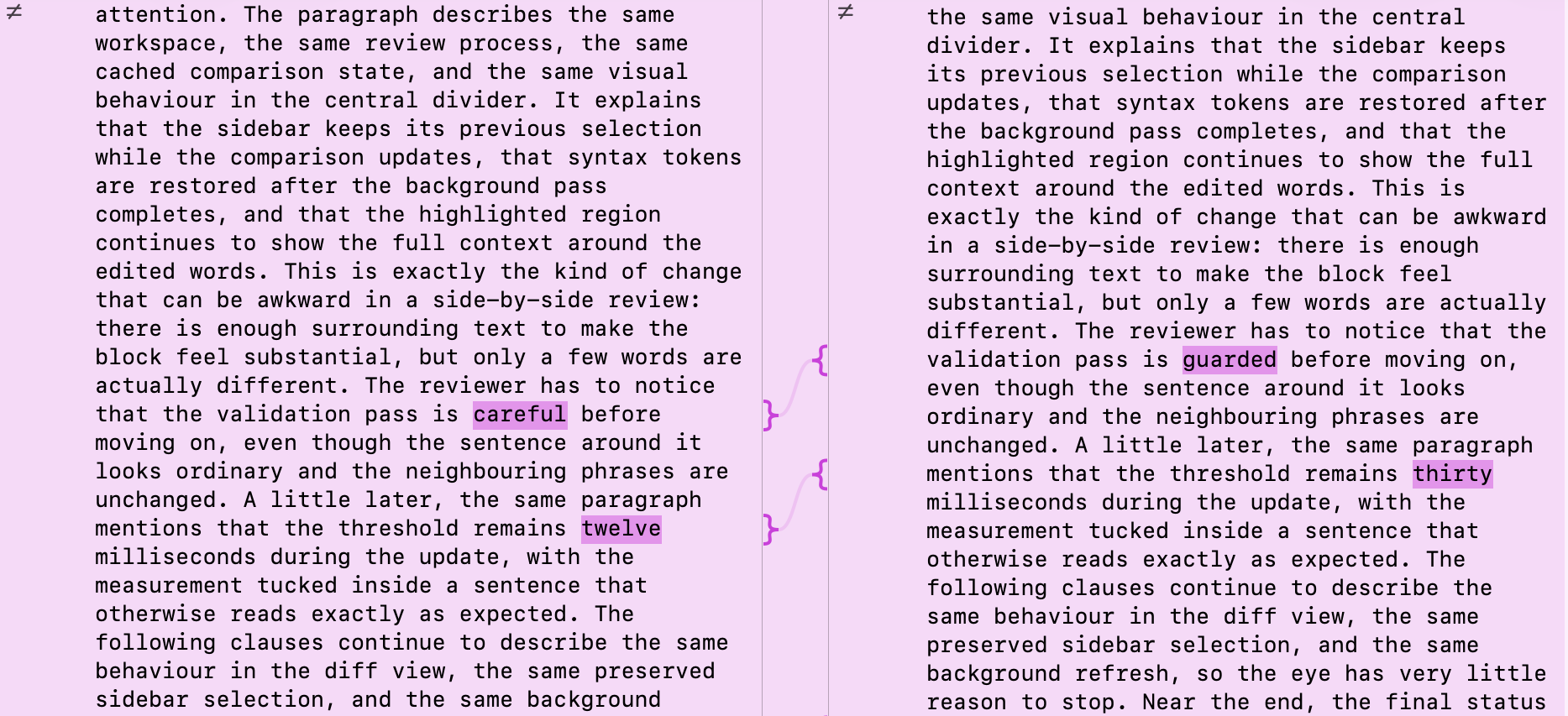
Extra connecting lines now appear in diff dividers when there are a few scattered word differences that might be hard to spot within a large modified segment.
And more…
- JuxtaCode can now be used as a merge tool for Jujutsu.
- Performance improvements when generating large diffs.
- You can edit a text clipping's title by selecting it in the sidebar and pressing enter.
- Other small bug fixes.
Version 1.3
- Twin Focus When enabled, hover over a word in a side-by-side diff to highlight the corresponding word on the other side(s) of the diff.
- Improved diffing algorithm Better recognition when two bodies of text mainly differ by their line breaks. For example, if [A] has a long paragraph all on one line and [B] has the same content split over multiple lines to maintain a maximum column width, then both passages will be grouped as “modified ≠” and their newline differences highlighted.
- Improved diff UI Extra connecting lines now appear in diff dividers when there are a few scattered word differences that might be hard to spot within a large modified segment. In these cases, they’ll help to point out where they are and which lines they match up on.
- Added the ability for JuxtaCode to serve as a merge tool for Jujutsu.
- Performance improvements when generating large diffs.
- Fixes an occasional stack overflow crash when generating diffs.
- You can edit a text clipping’s title by selecting it in the sidebar and pressing enter.
- Fixed a bug that caused scrolling to break when both sides of a diff were identical.
- Fixed a bug that caused the file drop-down menu to not fully populate at first when using ‘git difftool’.
- Navigation toolbar buttons (up and down arrows) now become disabled when there are no segments to navigate in a diff.
Version 1.2.5
- Fixes appearance of window titlebars in macOS 26.2.
- Fixes appearance of floating header views in commit diffs in macOS Sonoma & Sequoia.
Version 1.2.4
Fixes a potential crash when applying syntax highlighting to a commit’s diff.
Version 1.2.2
Fixes an issue that prevents app updates.
Version 1.2.1
Leverages Apple Intelligence, where available, to name text clippings as they are dragged or pasted into a comparison.
Version 1.2
- Overhauled UI to look at home with Liquid Glass on macOS Tahoe.
- The commit list in the sidebar now loads a lot more smoothly.
- Initial loading of local changes is now more reliable.
- Added symbols to distinguish change types within a diff (+ added, - removed, ≠ modified, ! conflicting).
- Fixed potential stack overflow crash when generating diffs.
Version 1.1.15
- Fixes an infrequent crash while displaying 2-way diffs.
Version 1.1.14
- Fixes handling of line separator (soft line breaks) in diffs.
Version 1.1.13
- Fixed a potential crash when viewing commit diffs.
- Allow duplicate text clippings to be pasted into the comparison tool.
Version 1.1.12
- Fixed syntax highlighting. (For real this time. I didn’t realise the last fix only worked for the debug build.)